Panorama
Utilize field maps and data
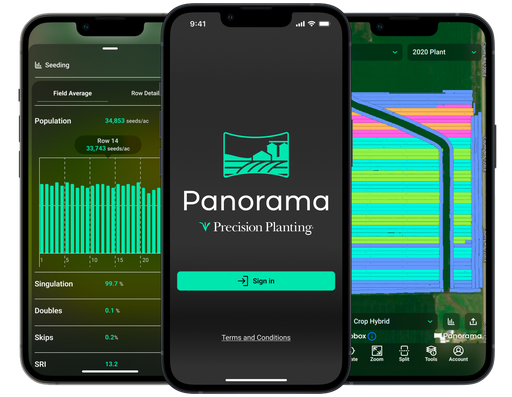
Utilize Your Data Outside of the Cab
With an unbroken view of your farming operation, wherever you stand.
The Value of Agronomic Data
Each step of the crop cycle must have accurate data to guide future decisions. Whether you’re stopping in the field to make a fix, evaluating your approach for the next pass, or choosing your purchases for next season, you need accurate data.
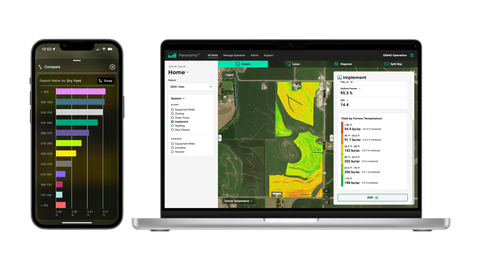
Easily Leverage Your Data
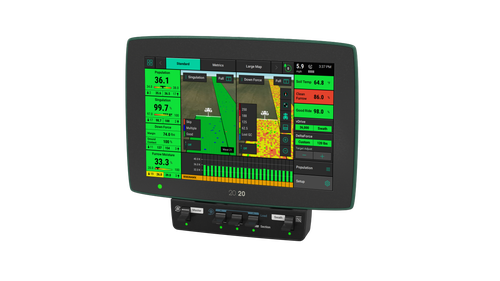
The Panorama app and website offer a high-quality experience. The easy-to-use app allows you to import agronomic data from a variety of platforms to view and analyze row-by-row maps, field average reports, yield comparisons and more. Use the Gen 3 20|20 and Panorama will automate the process of sharing and sending data from your monitor to other trusted platforms through a simple Wi-Fi connection.

Pan·o·ram·a [noun]
an unbroken view of the whole region surrounding an observer
Plan
Prepare Before Hitting the Field
By ensuring your field information is organized and ready to go before you even fire up the 20|20.
Support
Remotely Monitor In-Field 20|20s
And enable remote assistance when it matters most.
Empower Remote Support
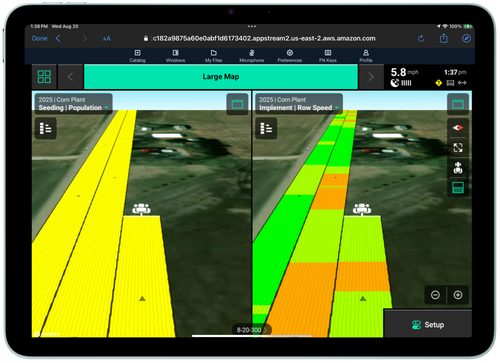
Interactively view all in-cab Gen 3 20|20s in your operation. With LiveStream, you can remotely monitor field progress and stay connected to machine data. Access LiveStream features via the web from your tablet or computer, or through a 20|20 monitor.
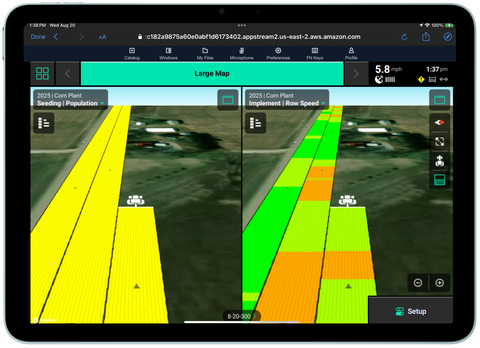
LiveStream Editing
Edit any 20|20 configuration with LiveStream Editing to get operators in the cab back up and running without a trip to the field. Managing and supporting your operation has never been easier.
Share Swath Coverage
Enable data syncing across implements working in the same field to share swath coverage and maps with Passmaster. Gain the ability to synchronize all available maps on all implements between 20|20 systems for the entire field.
Analyze
View Results From Your Fields
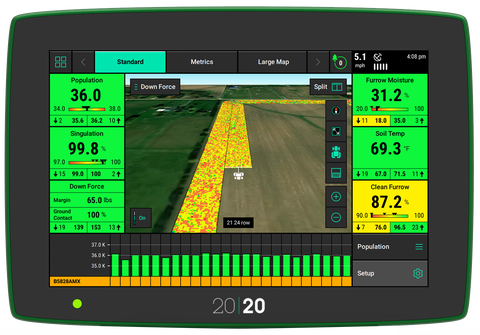
Through high-definition maps, that match the 20|20 in-cab display, pixel-by-pixel.
Get Panorama For Your Farm
It's simple to make an account and start using Panorama today!
Connectivity
Starlink Mini Connectivity Bundle
Poor cellular connectivity preventing you from utilizing Panorama's LiveStream feature?
Experience seamless and reliable in-field connectivity everywhere on your operation with a Starlink Mini Connectivity Bundle* and take full advantage of the opportunities that Panorama has to offer.
*Starlink is a trademark of Space Exploration Technologies Corp
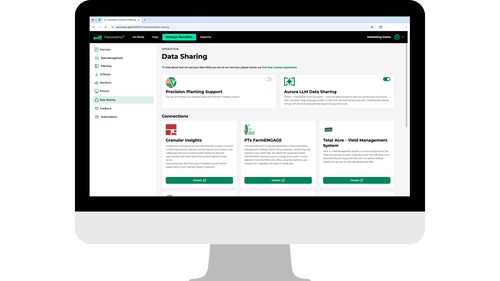
Seamless Connections to Other Platforms
Enable as many or as few connections as you want at the flip of a switch. Panorama now connects to the following platforms so you can further explore and analyze your 20|20 data. More connections will be announced as they become available.
External Connections
- John Deere Operations Center
- Climate FieldView
- Corteva Agriscience
- TotalAcre
- PCT Agcloud
Internal Connections
- FarmENGAGE
- Radicle Agronomics
Frequently Asked Questions
Brian Scott, Indiana
"Using Panorama during planting made the flow of data from the planter easily manageable across multiple platforms. No USB sticks or waiting for data to download then walking to the computer to upload. I simply turned on my phone's hotspot which allowed my 20|20 to send all the information from the planting pass to wherever I found it most handy to use.
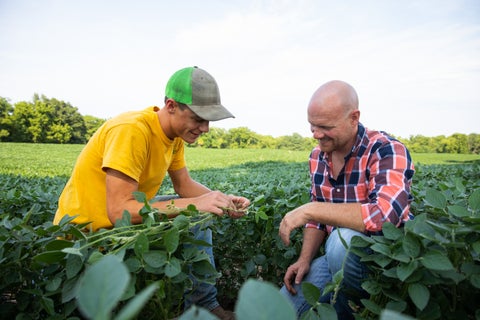
I could be on my phone or tablet using the Panorama app walking fields to know I'm in the right spot to scout a population trial. Or I could be in the office creating my harvest variety locator setup files in Ops Center to push out to the combine. From there I can feed variety and population data into a financial program attached to Ops Center.
Switching over to Panorama was a smooth transition this season and worked out really well!"

User Resources
Article
Managing your operation has never been easier. LiveStream enables interactive viewing of all in-cab 20|20s with editing capabilities for remote configuration.

Article
Panorama Third Party Data Support
View and analyze data from multiple applications all in one place, giving you a holistic view of your entire operation.
Article
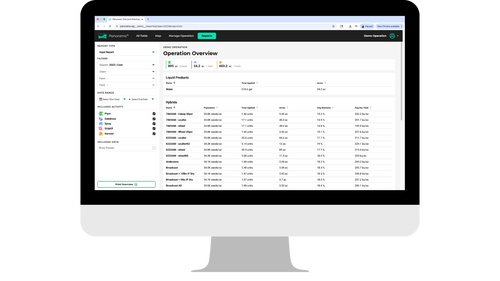
View and analyze input, condensed and agronomic reports through Panorama, bringing field data to your fingertips.
Article
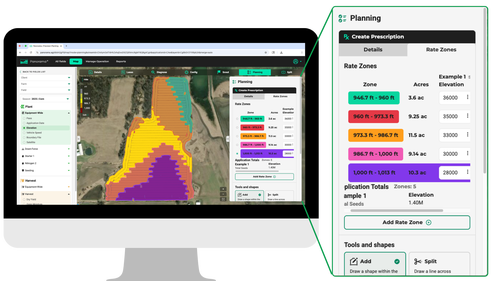
Auto Create Prescriptions with Panorama
Efficiently create, assign, and activate prescriptions to apply inputs more precisely and streamline field operations with Panorama.
Your Field. Your Data. Your Choice.
We don't share your data with anyone unless you tell us to. You own it, not us.